AI OS
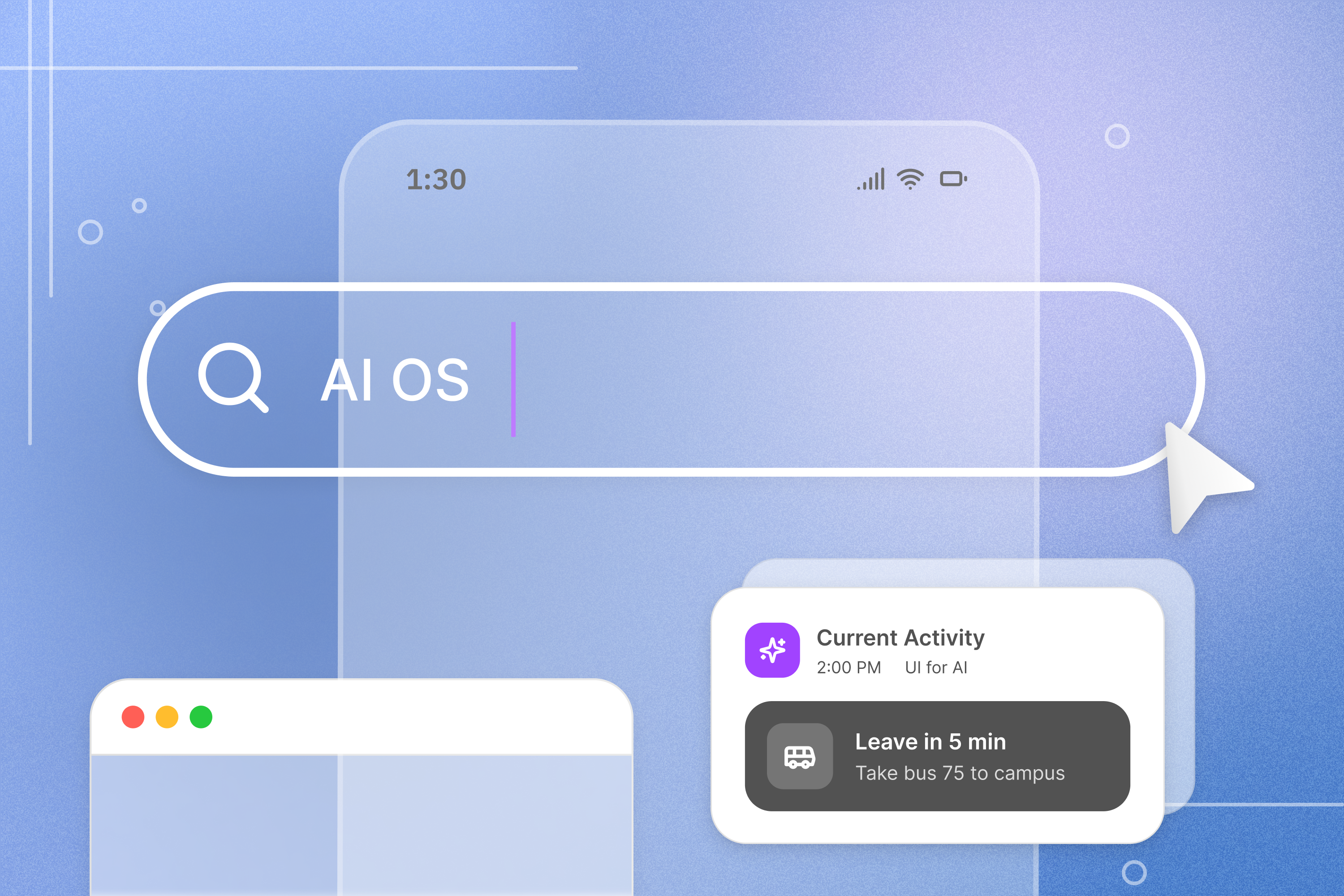
An AI-native operating system that learns your patterns and reshapes your digital environment around how you actually work.
Team Members

Cole Biehle

Yukti Poddar

Priyal Srivastava

Celine Tseng


Holly Zhu

Jason Park
The Problem
A mismatch between how computers are structured and how humans think.
Operating systems today are passive. They organize apps, not intent, which means every session starts with reopening tools, finding files, and rebuilding context from scratch.
That context never lives in the system. It lives in the user’s head. The calendar does not know about the document, the document does not know about the research, and the OS has no understanding of the task connecting them. Each time we switch work, we spend mental effort reconstructing where we left off, turning everyday workflows into repeated friction.
At the same time, AI tools optimize for speed and output. They help execute faster, but offer little support during the uncertain phase where direction is still being figured out. Instead of expanding possibilities, they often collapse them into a single answer.
As a result, tasks get completed, but the thinking behind them is reduced.
Literature Review & Research
Our team reviewed research across academic, technical, conceptual, and speculative domains to understand where AI design is heading and where it is falling short.
The pattern that stood out most was what the literature calls the efficiency trap. Research on AI-assisted content creation shows that exploration narrows because speed requires constraining scope, iteration collapses because instant polish discourages dwelling in ambiguity, and outputs converge because models optimize toward statistical norms. Users consistently report a diminished sense of ownership over work produced with heavy AI assistance. When systems present outputs as finished and confident, they short-circuit the human act of interpretation. As Ken Liu writes in "Living in the Future," technology has a tendency to reduce humans to sub-machines. While AI provides the means, humans provide the meaning.
This is the core failure mode of treating AI as a creative authority, and it is what our solution is designed to push back against.
Design Principles
From our literature review, we drew on a set of design principles outlined in this article, and selected the ones most relevant to our solution. Some come directly from existing frameworks in HCI and technology research. Others emerged from working through what this specific system would need to get right.

Protect Involvement and Ownership.
The best output is not always the fastest one. Design systems should protect the thinking that gives users ownership over their work. Involvement in the process changes how the result is understood, used, and built on.

Enhance Human Work Instead of Replacing It.
AI works best as a partner, not a substitute. The system takes on what it handles well so the human can focus on what requires real judgment. The goal is a better result than either would reach alone.

Negotiate Agency Moment-by-Moment.
The system signals subtly and remains completely ignorable. The user is never locked into a direction the system chose. Who is driving is always visible and always the user’s to contest.
Solution: An OS paradigm built around tasks, not tools
Our solution is an AI-native operating system, the layer that everything else runs on top of. It is built around two ideas that together describe what it means for a computer to actually understand its user.

EFFICIENCY
Coordinate domain-specific workflows — travel planning, financial oversight, health tracking — each operating across multiple underlying services.

EXPLORATION
The system helps you navigate uncertainty without deciding for you.
- Detects moments of exploration
- Surfaces multiple possible directions
- Lets you merge ideas across paths
Together, these are two expressions of the same premise: a different kind of computing where the OS understands enough about what you are doing to stay out of the way when it should, and show up when it matters.
Efficiency: An OS that eliminates the overhead of getting started
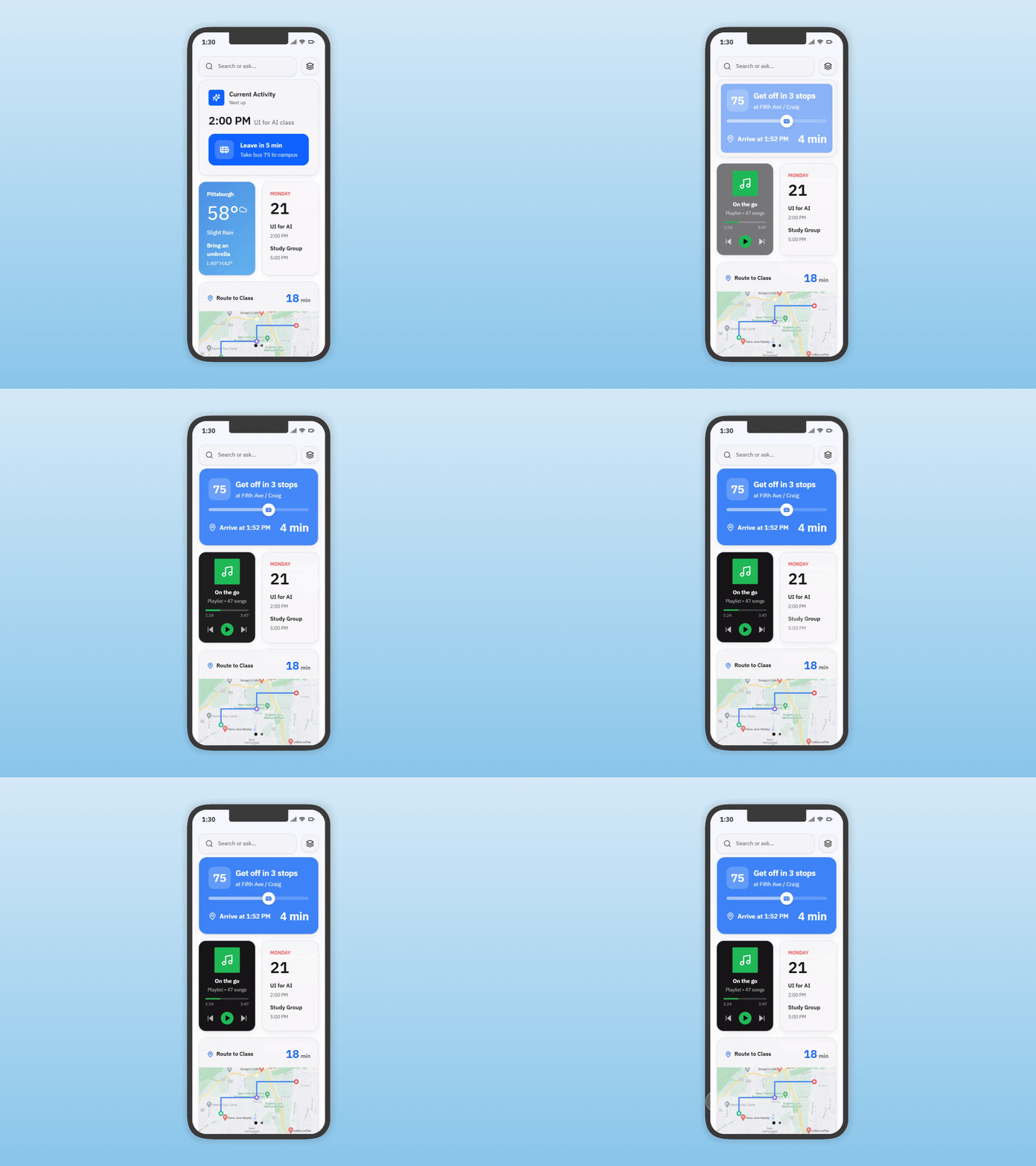
This solution approaches efficiency as a systems problem, not a productivity feature. Instead of asking users to repeatedly set up their workspace, it learns how work naturally unfolds over time and begins shaping the environment to match.
The goal is not to automate tasks, but to remove the invisible overhead of getting started, switching context, and piecing work back together.
Persistent Context
Contextual Tab Clustering: Dynamic tab organization structured around detected user goals and objectives, so that what you have open reflects what you are actually working on.
Decision Inbox
Based on past behavior, Strata prepares your workspace before you begin. The right documents, tabs, and tools are surfaced and arranged without manual setup.
Agent Alignment & Auditing
Instead of treating apps as separate silos, the system connects activity across them into a single task. A document, a spreadsheet, and a conversation are recognized as part of the same workflow.
Pattern-Based Adaptation
Focus Mode: Contextually hides non-essential tabs and UI elements to minimize cognitive load during deep work, surfacing what matters and releasing what does not.
Efficiency Prototype
A walkthrough of the orchestration layer across a travel planning scenario — from goal input to agent coordination to human-in-the-loop decision moments.
Prototype
Exploration: An OS that makes it worth exploring before you commit
While the system reduces friction in familiar workflows, it also supports moments where the path forward is unclear.
Instead of optimizing for speed or immediate answers, it recognizes when users are exploring and helps them navigate multiple possible directions without collapsing them too early.
For this concept, we focused specifically on browser-based exploration, where uncertainty, research, and decision-making naturally happen across multiple sources.
The goal is not to decide for you, but to make uncertainty easier to work through.
Exploration Detection
Contextual Tab Clustering: Dynamic tab organization structured around detected user goals and objectives, so that what you have open reflects what you are actually working on.
Decision Inbox
Instead of returning a single result, multiple possible directions are generated, each representing a different way to approach the query or task.
Agent Alignment & Auditing
Each path is partially executed using real web content, giving a concrete sense of how each direction unfolds before the user commits to it.
Artifact-Level Composition
Focus Mode: Contextually hides non-essential tabs and UI elements to minimize cognitive load during deep work, surfacing what matters and releasing what does not.
Exploration Prototype
A walkthrough of a moment when your OS detects a task that you are working on, and provides multiple directions in which your exploration could go.
Prototype

What Comes Next
This project focused on two specific moments: the overhead before work begins, and the uncertainty of not knowing which direction to take. But both point toward a broader question about how AI gets designed into the tools people use every day, and specifically, where the boundary sits between what the system does and what the person does.
The systems here are early, but the question they are working through is one worth continuing to pursue.
What does it actually look like when an OS is designed around the person, not the application?

AI OS
An AI-native operating system that learns your patterns and reshapes your digital environment around how you actually work.
Team Members
Yukti Poddar

Celine Tseng
Holly Zhu
Cole Biehle
Priyal Srivastava

Jason Park
The Problem
A mismatch between how computers are structured and how humans think.
Operating systems today are passive. They organize apps, not intent, which means every session starts with reopening tools, finding files, and rebuilding context from scratch.
That context never lives in the system. It lives in the user’s head. The calendar does not know about the document, the document does not know about the research, and the OS has no understanding of the task connecting them. Each time we switch work, we spend mental effort reconstructing where we left off, turning everyday workflows into repeated friction.
At the same time, AI tools optimize for speed and output. They help execute faster, but offer little support during the uncertain phase where direction is still being figured out. Instead of expanding possibilities, they often collapse them into a single answer.
As a result, tasks get completed, but the thinking behind them is reduced.
Literature Review & Research
Our team reviewed research across academic, technical, conceptual, and speculative domains to understand where AI design is heading and where it is falling short.
The pattern that stood out most was what the literature calls the efficiency trap. Research on AI-assisted content creation shows that exploration narrows because speed requires constraining scope, iteration collapses because instant polish discourages dwelling in ambiguity, and outputs converge because models optimize toward statistical norms. Users consistently report a diminished sense of ownership over work produced with heavy AI assistance. When systems present outputs as finished and confident, they short-circuit the human act of interpretation. As Ken Liu writes in "Living in the Future," technology has a tendency to reduce humans to sub-machines. While AI provides the means, humans provide the meaning.
This is the core failure mode of treating AI as a creative authority, and it is what our solution is designed to push back against.
Design Principles
From our literature review, we drew on a set of design principles outlined in this article, and selected the ones most relevant to our solution. These are the ones most directly relevant to what this solution is trying to do.
Protect Involvement and Ownership.
The best output is not always the fastest one. Design systems should protect the thinking that gives users ownership over their work. Involvement in the process changes how the result is understood, used, and built on.
Enhance Human Work Instead of Replacing It.
AI works best as a partner, not a substitute. The system takes on what it handles well so the human can focus on what requires real judgment. The goal is a better result than either would reach alone.

Negotiate Agency Moment-by-Moment.
The system signals subtly and remains completely ignorable. The user is never locked into a direction the system chose. Who is driving is always visible and always the user’s to contest.
Solution: An OS paradigm built around tasks, not tools
Our solution is an AI-native operating system, the layer that everything else runs on top of. It is built around two ideas that together describe what it means for a computer to actually understand its user.
EFFICIENCY
The system learns your patterns and prepares your workspace automatically.
- Context persists across apps
- Repeated workflows happen without setup
- Environment adapts to your rhythm
EXPLORATION
The system helps you navigate uncertainty without deciding for you.
- Detects moments of exploration
- Surfaces multiple possible directions
- Lets you merge ideas across paths
Together, these are two expressions of the same premise: a different kind of computing where the OS understands enough about what you are doing to stay out of the way when it should, and show up when it matters.
Efficiency: An OS that eliminates the overhead of getting started
This solution approaches efficiency as a systems problem, not a productivity feature. Instead of asking users to repeatedly set up their workspace, it learns how work naturally unfolds over time and begins shaping the environment to match.
The goal is not to automate tasks, but to remove the invisible overhead of getting started, switching context, and piecing work back together.
Persistent Context
Work no longer resets between sessions. The system carries forward relevant files, conversations, and tools, maintaining a continuous understanding of what you’re doing.
Automatic Workspace Setup
Based on past behavior, Strata prepares your workspace before you begin. The right documents, tabs, and tools are surfaced and arranged without manual setup.
Cross-App Task Understanding
Instead of treating apps as separate silos, the system connects activity across them into a single task. A document, a spreadsheet, and a conversation are recognized as part of the same workflow.
Pattern-Based Adaptation
Over time, the system learns how you work — when you start, what you open, how you sequence tasks — and adjusts your environment to reflect those patterns.
Efficiency Prototype
A walkthrough of the orchestration layer across a travel planning scenario — from goal input to agent coordination to human-in-the-loop decision moments.
Prototype
Exploration: An OS that makes it worth exploring before you commit
While the system reduces friction in familiar workflows, it also supports moments where the path forward is unclear.
Instead of optimizing for speed or immediate answers, it recognizes when users are exploring and helps them navigate multiple possible directions without collapsing them too early.
For this concept, we focused specifically on browser-based exploration, where uncertainty, research, and decision-making naturally happen across multiple sources.
The goal is not to decide for you, but to make uncertainty easier to work through.
Exploration Detection
The system identifies moments of uncertainty through signals like branching searches, multiple open tabs, and shifting browsing patterns, and responds without interrupting the user flow.
Parallel Path Surfacing
Instead of returning a single result, multiple possible directions are generated, each representing a different way to approach the query or task.
Tangible Previews
Each path is partially executed using real web content, giving a concrete sense of how each direction unfolds before the user commits to it.
Artifact-Level Composition
Users can select and combine useful elements from different paths, constructing an outcome that reflects their own reasoning rather than a single system-generated answer.
Exploration Prototype
A walkthrough of a moment when your OS detects a task that you are working on, and provides multiple directions in which your exploration could go.
Prototype
What Comes Next
This project focused on two specific moments: the overhead before work begins, and the uncertainty of not knowing which direction to take. But both point toward a broader question about how AI gets designed into the tools people use every day, and specifically, where the boundary sits between what the system does and what the person does.
The systems here are early, but the question they are working through is one worth continuing to pursue.
What does it actually look like when an OS is designed around the person, not the application?