Ephemeral AI
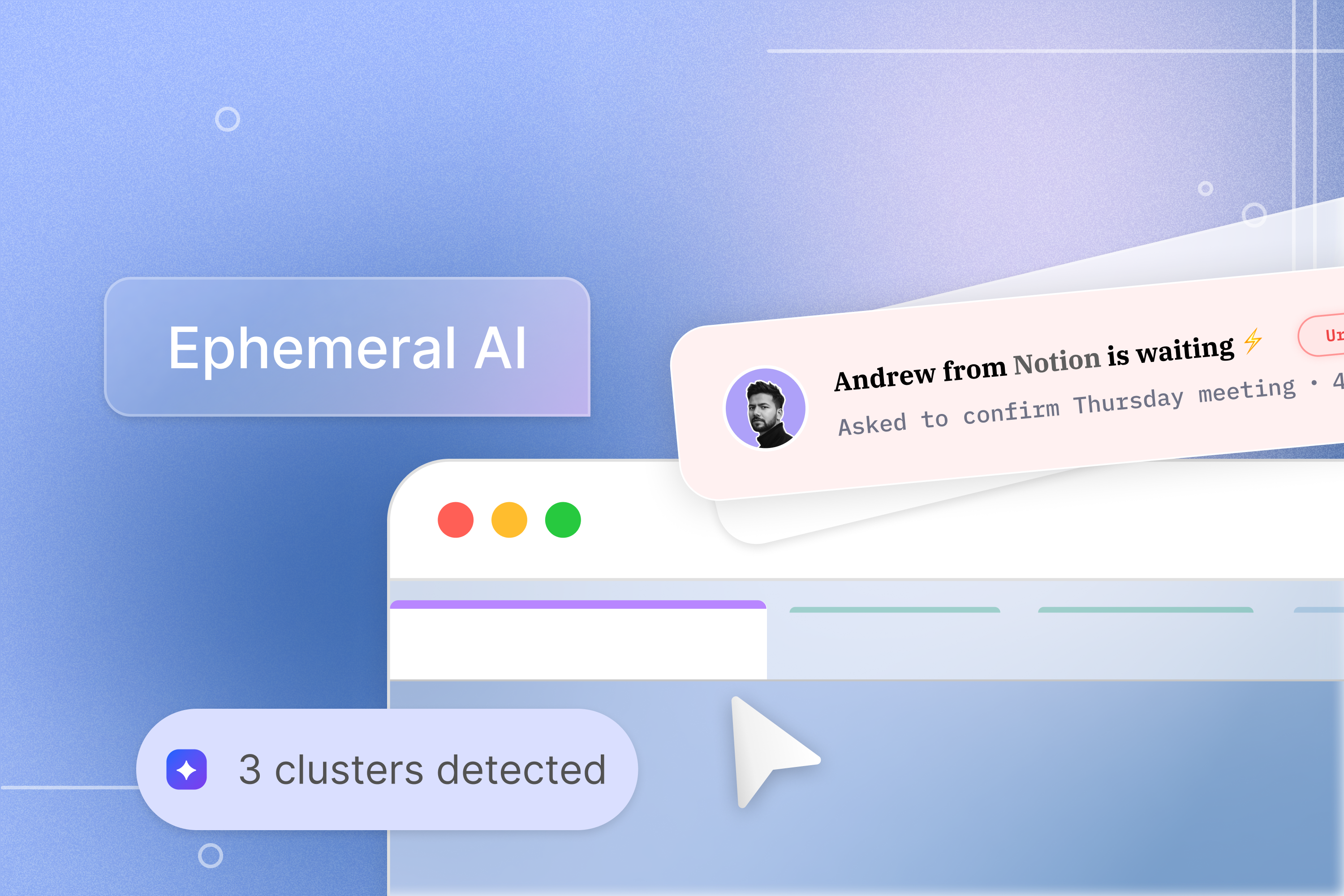
An AI that appears precisely when and where you need it, then disappears when the work is done
Team Members


Holly Zhu

Holly Zhu
Cole Biehle

Hanara Nam

Celine Tseng

Dave Song

Priyal Shrivastava
The Problem
Managing agents is the new tab overload
Modern digital work pulls people in too many directions. The average person gets 60 to 80 notifications a day, uses five to ten apps at once, and has to carry context between them. This is more than inconvenient. It drains the cognitive energy needed to do real work.
Two core problems drive this.
The first is how information is organized. AI browsers like Arc, Edge, and Opera add assistance, but the interface stays static. Tabs pile up and users still manage everything. Work is dynamic, but the interface is not. Systems are built around apps and files, while people think in goals and intent. This mismatch leads to overload, lost context, and constant task switching.
The second is where AI lives. To get help, you leave your workflow, open another tool, then bring the answer back. Each interruption breaks focus. Research on flow shows these switches compound over time. The issue is not AI itself, but that it sits outside the workflow.
Both problems point to the same gap. Our tools are static, while our work is dynamic and constantly shifting.
Findings from Literature Review
Our team reviewed academic, technical, and conceptual research to understand the problem space and what makes this direction viable now.
Notification fatigue is well documented. The average person receives 60–80 notifications daily, measurably reducing productivity and increasing stress. Meanwhile, context-aware computing is maturing: OS-level APIs, activity recognition, and calendar and document integration make real-time user context increasingly feasible, and modern language models can analyze situations quickly enough to make just-in-time assistance technically viable.
The industry shift is already visible. Google's ambient computing initiatives and Apple's background intelligence features both reflect a move away from app-centric models toward contextual assistance. The success of iOS Focus Modes and notification scheduling confirms real demand for technology that helps without breaking concentration, which is precisely what current tools are not designed to do.
Design Principles
From our literature review, we drew on a set of design principles outlined in this article, and selected the ones most relevant to our solution. Some come directly from existing frameworks in HCI and technology research. Others emerged from working through what this specific system would need to get right.

Make Metacognition the Interface.
Design systems that help users decide what to think about versus what to delegate, treating cognitive resource allocation as the primary task. Ephemeral surfaces options and assistance at decision points rather than collapsing decisions prematurely.

Ephemeral by Default.
AI presence should be temporary. Persistence requires justification, not the reverse. The default state is absence, and appearance requires a reason.

Respect for Flow State
The system learns when users are in focused states and defers non-urgent assistance accordingly. Interrupting deep work is a cost, and the design should treat it as one.

Memory Without Residue
The assistant learns from interactions over time but does not leave persistent UI clutter or require manual cleanup. What it knows improves future appearances without accumulating visible overhead.
Solution
Ephemeral is a concept for AI that is present when you need it and absent when you do not. It takes two complementary forms, one focused on how information is organized across your browser, and one focused on how assistance surfaces within the tools you are already using.
ORGANIZATION
Rather than leaving the interface management to the user, an AI-native browser interprets your intent across tabs and pages to dynamically generate task-focused workspaces. The browser understands what you are working toward, not just what you have open, and reorganizes itself around that understanding in real time
PRODUCTIVITY
An ephemeral AI assistant appears precisely when and where users need support, then disappears when the task is complete. It adapts its form to the context, whether that is an overlay, a floating window, or an integrated element within the platform you are already using. It operates in a hybrid mode, automatically detecting opportunities to help while also responding to deliberate user activation. The core philosophy is minimal intrusion with maximum impact.
Together these two ideas describe the same vision: AI that is as dynamic as the work itself, appearing where it adds value and stepping back everywhere else.
Organization: A browser that structures itself around you
We imagined an AI-native browser that organizes around what users are actually doing, not just what they have opened.
Contextual Tab Clustering
Design systems that help users decide what to think about versus what to delegate, treating cognitive resource allocation as the primary task. Ephemeral surfaces options and assistance at decision points rather than collapsing decisions prematurely.
Content Synthesis Workspace
Automatically extracts and consolidates essential information from multiple tabs into a structured workspace, reducing the need to hold everything in your head.
Adaptive Layout
Interface structure dynamically reorganizes based on user interaction patterns, responding to how you work rather than requiring you to manage it manually.
Focus Mode
Contextually hides non-essential tabs and UI elements to minimize cognitive load during deep work, surfacing what matters and releasing what does not.
Predictive Resource Surfacing
AI anticipates and pre-loads likely next resources based on workflow patterns and contextual analysis, so that what you need is ready before you have to ask for it.
Organization Demo
See it in action
Prototype
Productivity: Assistance without the detour
An ephemeral AI assistant that appears precisely when and where users need support, then disappears when the task is complete.
It adapts its form to the context - overlay, floating window, or integrated element, delivering relevant information at the exact moment of need.
Confidence-Based Visibility
The assistant only appears when it has sufficient confidence that it can add value. When confidence is low, it stays hidden. This keeps appearances meaningful rather than constant.
Workflow Memory
The assistant recognizes recurring setups and workflows over time and offers to execute them automatically, so you are not recreating the same environment from scratch every session.
In-Situ Assistance
Rather than requiring you to leave your current context to get help, the assistant surfaces within the platform you are already in at the exact moment support is relevant. It appears as an overlay, a floating window, or an integrated element depending on what the situation calls for, then dismisses itself when the task is complete.
Productivity Demo
See it in action
Prototype
Why It Matters
The productivity AI market has converged on one answer: more presence. More chatbots, more sidebars, more assistants asking what they can do for you. Ephemeral argues the opposite. The bottleneck in knowledge work isn't access to AI — it's protection of attention. An assistant that earns its appearance is more valuable than one that's always there.
Reflection
Designing for absence is harder than designing for presence. Our instinct as designers is to add: more affordances, more surfaces, more guidance. Ephemeral required the opposite muscle, deciding when the right move was nothing at all. That tension surfaced everywhere. Confidence thresholds are easy to specify but hard to calibrate. Workflow memory only helps if it's right; when it's wrong, it's worse than no memory at all.
The harder open question is trust. An assistant that appears unpredictably risks feeling intrusive in a way persistent tools don't. Persistence is annoying, but it's legible: you always know where the assistant is. Ephemerality demands a higher bar: users have to trust the system's judgment about when to show up, and that trust is earned slowly. We don't think we've solved this. We think we've named it.

Ephemeral AI
An AI that appears precisely when and where you need it, then disappears when the work is done
Team Members
Hanara Nam
Holly Zhu
Celine Tseng


Will Pan
Cole Biehle
Priyal Shrivastava
The Problem
Managing agents is the new tab overload
Modern digital work pulls people in too many directions. The average person gets 60 to 80 notifications a day, uses five to ten apps at once, and has to carry context between them. This is more than inconvenient. It drains the cognitive energy needed to do real work.
Two core problems drive this.
The first is how information is organized. AI browsers like Arc, Edge, and Opera add assistance, but the interface stays static. Tabs pile up and users still manage everything. Work is dynamic, but the interface is not. Systems are built around apps and files, while people think in goals and intent. This mismatch leads to overload, lost context, and constant task switching.
The second is where AI lives. To get help, you leave your workflow, open another tool, then bring the answer back. Each interruption breaks focus. Research on flow shows these switches compound over time. The issue is not AI itself, but that it sits outside the workflow.
Both problems point to the same gap. Our tools are static, while our work is dynamic and constantly shifting.
Findings from Literature Review
Our team reviewed academic, technical, and conceptual research to understand the problem space and what makes this direction viable now.
Notification fatigue is well documented. The average person receives 60–80 notifications daily, measurably reducing productivity and increasing stress. Meanwhile, context-aware computing is maturing: OS-level APIs, activity recognition, and calendar and document integration make real-time user context increasingly feasible, and modern language models can analyze situations quickly enough to make just-in-time assistance technically viable.
The industry shift is already visible. Google's ambient computing initiatives and Apple's background intelligence features both reflect a move away from app-centric models toward contextual assistance. The success of iOS Focus Modes and notification scheduling confirms real demand for technology that helps without breaking concentration, which is precisely what current tools are not designed to do.
Design Principles
From our literature review, we drew on a set of design principles outlined in this article, and selected the ones most relevant to our solution. Some come directly from existing frameworks in HCI and technology research. Others emerged from working through what this specific system would need to get right.
Make Metacognition the Interface.
Design systems that help users decide what to think about versus what to delegate, treating cognitive resource allocation as the primary task. Ephemeral surfaces options and assistance at decision points rather than collapsing decisions prematurely.
Ephemeral by Default.
AI presence should be temporary. Persistence requires justification, not the reverse. The default state is absence, and appearance requires a reason.
Respect for Flow State
The system learns when users are in focused states and defers non-urgent assistance accordingly. Interrupting deep work is a cost, and the design should treat it as one.
Memory Without Residue
The assistant learns from interactions over time but does not leave persistent UI clutter or require manual cleanup. What it knows improves future appearances without accumulating visible overhead.
Solution
Ephemeral is a concept for AI that is present when you need it and absent when you do not. It takes two complementary forms, one focused on how information is organized across your browser, and one focused on how assistance surfaces within the tools you are already using.
ORGANIZATION
Rather than leaving the interface management to the user, an AI-native browser interprets your intent across tabs and pages to dynamically generate task-focused workspaces. The browser understands what you are working toward, not just what you have open, and reorganizes itself around that understanding in real time
PRODUCTIVITY
An ephemeral AI assistant appears precisely when and where users need support, then disappears when the task is complete. It adapts its form to the context, whether that is an overlay, a floating window, or an integrated element within the platform you are already using. It operates in a hybrid mode, automatically detecting opportunities to help while also responding to deliberate user activation. The core philosophy is minimal intrusion with maximum impact.
Together these two ideas describe the same vision: AI that is as dynamic as the work itself, appearing where it adds value and stepping back everywhere else.
Organization: A browser that structures itself around you
We imagined an AI-native browser that organizes around what users are actually doing, not just what they have opened.
Contextual Tab Clustering
Dynamic tab organization structured around detected user goals and objectives, so that what you have open reflects what you are actually working on.
Content Synthesis Workspace
Automatically extracts and consolidates essential information from multiple tabs into a structured workspace, reducing the need to hold everything in your head.
Adaptive Layout
Interface structure dynamically reorganizes based on user interaction patterns, responding to how you work rather than requiring you to manage it manually.
Focus Mode
Contextually hides non-essential tabs and UI elements to minimize cognitive load during deep work, surfacing what matters and releasing what does not.
Predictive Resource Surfacing
AI anticipates and pre-loads likely next resources based on workflow patterns and contextual analysis, so that what you need is ready before you have to ask for it.
Organization Demo
See it in action
Prototype
Productivity: Assistance without the detour
An ephemeral AI assistant that appears precisely when and where users need support, then disappears when the task is complete.
It adapts its form to the context - overlay, floating window, or integrated element, delivering relevant information at the exact moment of need.
Confidence-Based Visibility
The assistant only appears when it has sufficient confidence that it can add value. When confidence is low, it stays hidden. This keeps appearances meaningful rather than constant.
Workflow Memory
The assistant recognizes recurring setups and workflows over time and offers to execute them automatically, so you are not recreating the same environment from scratch every session.
In-Situ Assistance
Rather than requiring you to leave your current context to get help, the assistant surfaces within the platform you are already in at the exact moment support is relevant. It appears as an overlay, a floating window, or an integrated element depending on what the situation calls for, then dismisses itself when the task is complete.
Productivity Demo
See it in action
Prototype
Why It Matters
The productivity AI market has converged on one answer: more presence. More chatbots, more sidebars, more assistants asking what they can do for you. Ephemeral argues the opposite. The bottleneck in knowledge work isn't access to AI — it's protection of attention. An assistant that earns its appearance is more valuable than one that's always there.
Reflection
Designing for absence is harder than designing for presence. Our instinct as designers is to add: more affordances, more surfaces, more guidance. Ephemeral required the opposite muscle, deciding when the right move was nothing at all. That tension surfaced everywhere. Confidence thresholds are easy to specify but hard to calibrate. Workflow memory only helps if it's right; when it's wrong, it's worse than no memory at all.
The harder open question is trust. An assistant that appears unpredictably risks feeling intrusive in a way persistent tools don't. Persistence is annoying, but it's legible: you always know where the assistant is. Ephemerality demands a higher bar: users have to trust the system's judgment about when to show up, and that trust is earned slowly. We don't think we've solved this. We think we've named it.